Claude Code's New Auto Mode Lets AI Decide What's Safe — Without Asking You
Anthropic has launched 'auto mode' for Claude Code in research preview, letting the AI autonomously decide which actions are safe to execute without user approval — while a built-in safety layer blocks risky or injected commands. Here's what it does, how to enable it, and what developers need to know before turning it on.
In this article

The Problem Auto Mode Solves
Claude Code's default permissions are deliberately conservative. Before it writes a file, runs a shell command, or makes a network call, it stops and asks. For short tasks, that's fine. For long autonomous workflows — refactoring a codebase, building a multi-file feature, running a test suite — constant permission prompts become what developers call 'permission fatigue': the tendency to click approve on everything just to keep moving, which defeats the security purpose entirely.
Before auto mode, the only escape was --dangerously-skip-permissions — a flag that, as the name implies, turns off all oversight entirely. Fast, but clearly not a production-safe option. Auto mode is the middle path Anthropic has been working toward: run autonomously, but with a background AI classifier vetting every action before it executes.
How the Classifier Works
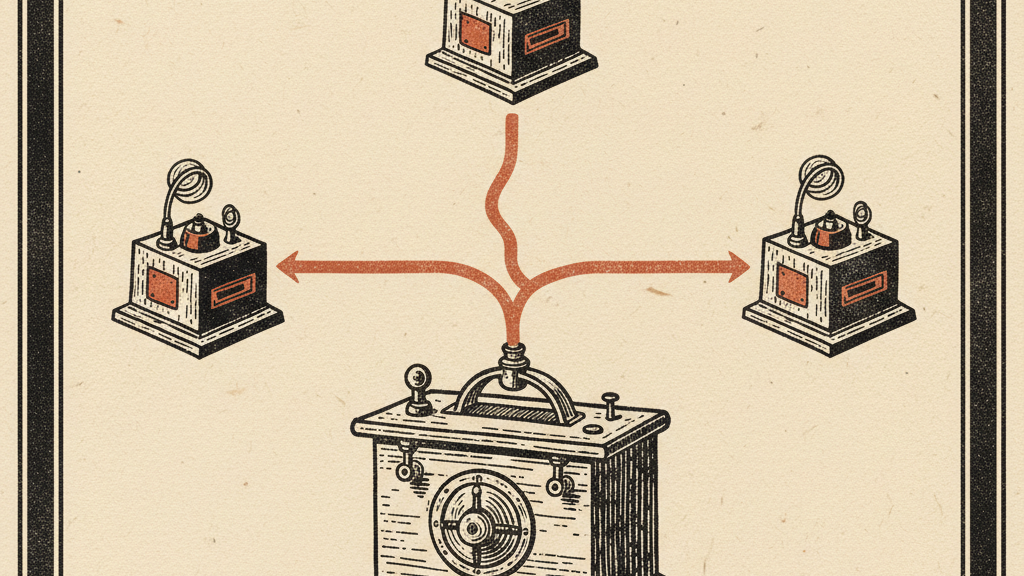
Auto mode's core is a background AI model that runs in parallel with Claude Code. Before each tool call executes, the classifier reviews it. Critically, the classifier only sees user messages and tool calls — not Claude's own internal reasoning or messages — which keeps the safety check independent of the model it's reviewing.
The classifier is specifically trained to catch a defined set of high-risk actions, including: mass file deletion (such as rm -rf on critical directories), sensitive data exfiltration, malicious code execution, and actions that fall outside the scope of what the user actually requested. If the classifier flags an action as risky, it's blocked outright. If Claude keeps hitting blocks on a particular task, it eventually surfaces a permission prompt to the user — so you're not left wondering why nothing is happening.
For prompt injection specifically — where malicious instructions are hidden inside files, API responses, or user-submitted content that Claude is reading — auto mode is one of the first mainstream coding tools to bake this defense directly into the execution loop. As Claude Code increasingly operates on external codebases, third-party packages, and untrusted content, that protection is genuinely valuable.
How to Enable Auto Mode
Auto mode is currently in research preview, available to Claude Teams users only (not Pro or free tiers). There are two ways to enable it:
- Command line: Start Claude Code with the auto mode flag:
claude --auto-modeor set it in your project's.claude/settings.json - VS Code extension: Open Settings → Claude Code → Enable auto mode toggle → Select "Auto" from the permission dropdown
- In-session: Use the
/autoslash command during an active session to switch to auto mode mid-task
Once enabled, you'll see auto mode indicated in the Claude Code status bar. Actions that are automatically approved pass silently. Actions that are blocked show a brief notification. If you're running a long task and see unexpected pauses, the classifier has likely flagged something — check the output for the specific tool call that was blocked.
Auto Mode vs. dangerously-skip-permissions: The Real Difference
The --dangerously-skip-permissions flag is still there and still useful in specific scenarios: fully sandboxed CI/CD environments, containerised dev setups where nothing can escape, or cases where you've already reviewed every action Claude might take. In those contexts, the flag is appropriate and auto mode's classifier overhead is unnecessary.
Auto mode is for everything else — local development, collaborative workflows, tasks that involve reading from external sources, or any situation where you want speed without completely handing over the keys. The practical difference is that --dangerously-skip-permissions trusts Claude unconditionally, while auto mode trusts Claude conditionally, with an independent reviewer watching every move.
Research preview caveat: Auto mode is not a finished product. Anthropic is actively collecting data on false positive rates (safe actions incorrectly blocked) and false negatives (risky actions that slip through). Expect occasional unexpected blocks, and expect the classifier's behaviour to change as the research preview progresses.
What the Agentic Coding Space Looks Like Now
Auto mode arrives as autonomous coding tools are racing to solve the same problem from different angles. GitHub Copilot Workspace runs tasks in cloud sandboxes with full isolation. OpenAI's Codex CLI and Cursor's background agent both lean on container-based isolation to reduce risk. Anthropic's approach is different: rather than isolating the environment, it's adding intelligence to the permission layer itself.
It's a higher-risk bet — an AI reviewing AI actions is only as good as the classifier — but it's also more flexible. Auto mode works in your local environment, against your actual codebase, without requiring Docker or sandbox configuration. For developers who want to run Claude Code against real projects without the overhead of containerisation, that's a meaningful practical advantage.
What Developers Should Do Right Now
If you're on Claude Teams, auto mode is worth testing today — but do it with your eyes open. Start with a non-critical project. Watch the first few sessions closely to understand which actions the classifier lets through and which it blocks. Pay attention to edge cases: tasks that involve reading files from multiple sources, commands that interact with external APIs, or anything that modifies config or environment files. These are the areas where the classifier's judgement will matter most.
Auto mode is the clearest signal yet that Anthropic's Claude Code strategy is about building a fully autonomous development loop — write, execute, review, iterate — with humans in the loop only when the AI genuinely needs guidance. This research preview is the first real test of whether that loop can be trusted at scale.
Get the Claude playbook in your inbox.
One weekly email for Claude and Claude Code users. Real workflows, no hype. Subscribe and we send you The Claude Power-User Cheatsheet.
— ¶ —

Luke Thompson
Luke Thompson is the founder of The Operations Guide, LLC and editor of The Claude Insider. Based in Jonesborough, Tennessee, he has spent years building AI-augmented business systems and automation workflows for operators and teams. He began working with large language models in production well before the current wave of consumer AI tools, integrating them into client workflows, content pipelines, and operational infrastructure. At The Claude Insider, he writes about Claude with the specificity of someone who uses it daily as a professional tool — not as a reviewer or commentator, but as a builder. His coverage focuses on what actually works: prompt patterns, API integration strategies, agentic workflows, and the real-world tradeoffs that practitioners face. He is not affiliated with Anthropic, PBC.
Articles are researched and drafted with AI assistance, reviewed and edited by Luke Thompson.
Know where AI can pay off in your company.
Take the free two-minute AI Readiness Assessment. See your score, the two gaps holding you back, and the next move worth making.