Claude Code Agent Orchestration: The Complete Guide
Master Claude Code's experimental agent orchestration. From subagents to full agent teams, learn setup, configuration, real-world patterns, and best practices.
In this article
Why Agent Orchestration Matters
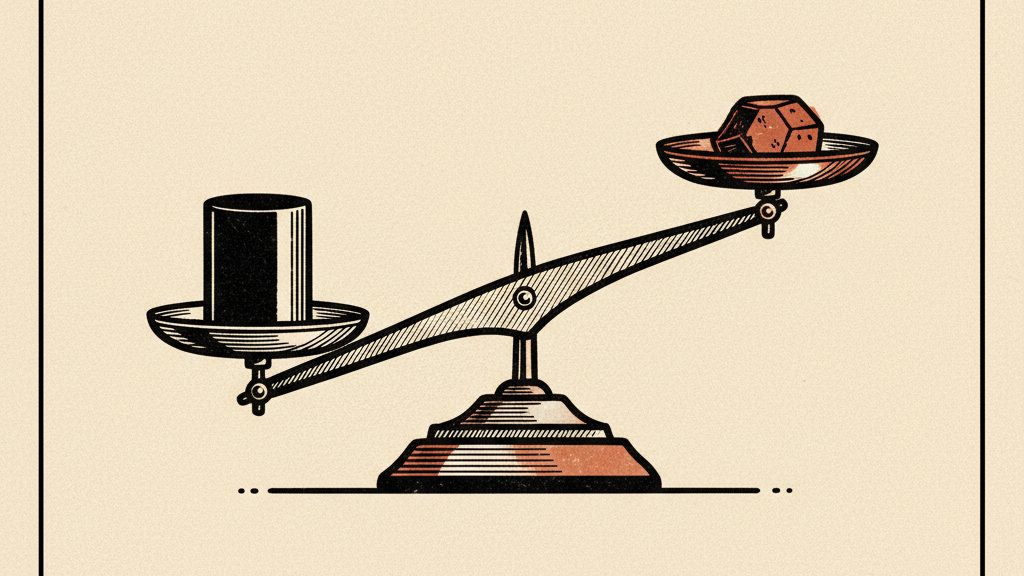
The bottleneck with single-agent AI coding isn't intelligence. It's throughput. When a single Claude Code session reviews a pull request, it tends to gravitate toward one type of issue at a time. When it debugs, it anchors on the first plausible explanation and stops looking. When it builds features that span multiple layers of a stack, it works through them sequentially, losing context as the conversation grows.
Agent orchestration addresses this by turning Claude Code from a single developer into a small engineering team. Multiple agents work simultaneously, each with its own context window, its own focus area, and its own perspective on the problem. The result is faster execution for parallelizable work, deeper analysis for complex investigations, and fewer blind spots when reviewing code.
Two-Tier System: Subagents vs. Agent Teams
Claude Code offers two distinct levels of agent orchestration, and choosing the right one is the most important decision you'll make. They solve different problems and carry different costs.
Subagents: Lightweight Delegation
Subagents run inside your existing Claude Code session. They get their own context window and a custom system prompt, but they report results back to the main conversation and can't talk to each other. Think of them as specialized workers you dispatch for focused tasks: run the tests and tell me what failed, search the codebase for all authentication-related code, review this module for security issues.
Claude Code ships with three built-in subagents: Explore (a fast, read-only Haiku agent for codebase search), Plan (a research agent used during plan mode), and general-purpose (a capable agent with full tool access for complex multi-step tasks). You can also create custom subagents as Markdown files with YAML frontmatter, or generate them interactively with the /agents command.
---
name: code-reviewer
description: Expert code review specialist. Use proactively after writing code.
tools: Read, Grep, Glob, Bash
model: sonnet
memory: user
---

You are a senior code reviewer. When invoked:
1. Run git diff to see recent changes
2. Focus on modified files
3. Review for quality, security, and maintainability

Update your agent memory with patterns you discover.
Subagents are the right choice when: the task produces verbose output you don't need in your main context (like running a test suite), you want to enforce specific tool restrictions, or the work is self-contained and only the result matters. They use fewer tokens and have lower coordination overhead than agent teams.
Agent Teams: Full Multi-Agent Collaboration
Agent teams are the headline feature. Unlike subagents, each teammate is a fully independent Claude Code instance with its own context window. Teammates can message each other directly, broadcast to the whole team, claim tasks from a shared list, and coordinate without the lead acting as intermediary. One session serves as the team lead, handling orchestration and synthesis, while teammates work in parallel on their assigned domains.
The key difference from subagents is communication. Subagents can only report back to the caller. Agent team members can share findings mid-task, challenge each other's conclusions, and self-coordinate through the shared task list. This makes them effective for work that requires discussion and collaboration, not just parallel execution.
Agent teams use significantly more tokens than a single session or subagents. Each teammate is a separate Claude instance billed independently. Reserve agent teams for high-value tasks where parallel exploration or cross-agent communication genuinely adds value.
Decision Framework
Use a single session for sequential tasks, same-file edits, or work with many dependencies. Use subagents when you need focused workers that report back results (test running, codebase search, isolated analysis). Use agent teams when teammates need to share findings, challenge each other, and coordinate on their own (parallel code review, competing debugging hypotheses, cross-layer feature implementation).
Read the original source on code.claude.com
Setting Up Agent Teams
Agent teams are experimental and disabled by default. You need to explicitly opt in before Claude Code will expose the feature.
Step 1: Enable the Feature Flag
Add the environment variable to your settings.json (which applies it globally) or set it in your shell before launching Claude Code:
{
  "env": {
    "CLAUDE_CODE_EXPERIMENTAL_AGENT_TEAMS": "1"
  }
}
Alternatively, set it as a shell environment variable for a single session:
export CLAUDE_CODE_EXPERIMENTAL_AGENT_TEAMS=1
claude
Step 2: Choose a Display Mode
Agent teams support two display modes. In-process mode runs all teammates inside your main terminal. You use Shift+Up/Down to select a teammate and type to message them directly. This works in any terminal with no extra setup. Split-pane mode gives each teammate its own pane so you can see everyone's output at once. This requires tmux or iTerm2.
The default is "auto", which uses split panes if you're already in a tmux session and in-process mode otherwise. You can override this in settings.json or with a CLI flag:
# Force in-process mode for a single session
claude --teammate-mode in-process

# Or set permanently in settings.json
# { "teammateMode": "in-process" }
Step 3: Start Your First Team
Once enabled, tell Claude to create a team by describing the task and the team structure you want in natural language. Claude creates the team, spawns teammates, and coordinates work based on your prompt. Here's a prompt that works well because the roles are independent and can explore in parallel:
Create an agent team to review our authentication module from
multiple angles:
- One teammate focused on security vulnerabilities
- One teammate checking performance and scalability
- One teammate validating test coverage and edge cases

Have them share findings and challenge each other's conclusions.
From there, Claude creates a team with a shared task list, spawns a teammate for each perspective, has them explore the problem, and synthesizes findings across all three when they finish. The lead's terminal lists all teammates and their current tasks.
Architecture Under the Hood
Understanding the architecture helps you use agent teams more effectively and troubleshoot when things go wrong.
An agent team consists of four components. The team lead is your main Claude Code session - it creates the team, spawns teammates, assigns tasks, and synthesizes results. Teammates are separate Claude Code instances, each with its own context window. The shared task list holds work items in three states: pending, in progress, and completed. Tasks can depend on other tasks, and blocked work unblocks automatically when dependencies are resolved. The mailbox is the messaging system for inter-agent communication.
Teams and tasks are stored locally on disk. Team configuration lives at ~/.claude/teams/{team-name}/config.json, containing a members array with each teammate's name, agent ID, and type. Task lists are stored at ~/.claude/tasks/{team-name}/. Teammates can read the config file to discover other team members.
Context inheritance: teammates load the same project context as a regular session (CLAUDE.md, MCP servers, skills) plus the spawn prompt from the lead. They do not inherit the lead's conversation history. If a teammate needs specific context, include it in the spawn prompt.
How Communication Works
Teammates communicate through three mechanisms. Messages are delivered automatically to recipients - the lead doesn't need to poll. When a teammate finishes and stops, it sends an idle notification to the lead. And the shared task list gives all agents visibility into what's been claimed, what's in progress, and what's done.
For targeted communication, teammates use message (send to one teammate) or broadcast (send to all). Broadcasts should be used sparingly since token costs scale with team size. Task claiming uses file locking to prevent race conditions when multiple teammates try to grab the same task simultaneously.
Advanced Controls and Configuration
Delegate Mode
Without delegate mode, the lead sometimes starts implementing tasks itself instead of waiting for teammates. Delegate mode prevents this by restricting the lead to coordination-only tools: spawning teammates, messaging, shutting down teammates, and managing tasks. Enable it by pressing Shift+Tab after starting a team. This is useful for complex projects where you want the lead focused entirely on orchestration.
Plan Approval for Teammates
For complex or risky tasks, you can require teammates to plan before implementing. The teammate works in read-only plan mode until the lead approves its approach. If rejected, the teammate revises and resubmits. This adds a review layer without requiring your direct involvement - the lead makes approval decisions autonomously based on criteria you provide.
Spawn an architect teammate to refactor the database layer.
Require plan approval before making any changes.
Only approve plans that include migration scripts and rollback steps.
Quality Gates with Hooks
Claude Code hooks let you enforce rules when teammates finish work. Two hook events are specifically designed for agent teams. TeammateIdle runs when a teammate is about to go idle - exit with code 2 to send feedback and keep the teammate working. TaskCompleted runs when a task is being marked complete - exit with code 2 to prevent completion and send feedback. These hooks give you automated quality control without manual oversight.
Specifying Models Per Teammate
You can specify which model each teammate uses. This lets you optimize cost by using Sonnet for routine work and reserving Opus for tasks that need stronger reasoning. Tell the lead in natural language:
Create a team with 4 teammates to refactor these modules in parallel.
Use Sonnet for the three implementation teammates.
Use Opus for the architect who reviews the overall design.
Real-World Usage Patterns
The strongest use cases for agent teams share a common trait: the work decomposes into independent streams where parallel exploration adds real value. Here are the patterns that work best in practice.
Pattern 1: Multi-Lens Code Review
A single reviewer gravitates toward one type of issue at a time. Splitting review criteria into independent domains ensures security, performance, and test coverage all get thorough attention simultaneously. Each reviewer applies a different filter to the same code, and the lead synthesizes findings across all three.
Create an agent team to review PR #142. Spawn three reviewers:
- One focused on security implications
- One checking performance impact
- One validating test coverage
Have them each review and report findings.
Pattern 2: Competing Hypothesis Debugging
When the root cause of a bug is unclear, a single agent finds one plausible explanation and stops looking. This is the anchoring problem in sequential investigation. The fix: spawn multiple investigators with an explicitly adversarial structure. Each one investigates its own theory and tries to disprove the others.
Users report the app exits after one message instead of staying
connected. Spawn 5 agent teammates to investigate different
hypotheses. Have them talk to each other to try to disprove each
other's theories, like a scientific debate. Update the findings
doc with whatever consensus emerges.
The debate structure is the key mechanism. With multiple independent investigators actively trying to disprove each other, the theory that survives is much more likely to be the actual root cause.
Pattern 3: Cross-Layer Feature Implementation
Changes that span frontend, backend, and tests naturally decompose into independent streams. Each teammate owns a different layer, with task dependencies ensuring the backend API is ready before the frontend integration begins. This works well because each layer maps to a different set of files, minimizing conflict risk.
Pattern 4: Research and Exploration
If you're new to agent teams, start here. Research tasks have clear boundaries, don't require code modifications, and showcase the value of parallel exploration. Examples: evaluating three different libraries for the same task, investigating a bug from multiple angles before committing to a fix, or reviewing documentation across several unfamiliar modules.
Custom Subagents: Building Your Own Specialists
Beyond the built-in subagents and agent teams, you can create custom subagents that Claude automatically delegates to when the task matches. These are Markdown files stored at .claude/agents/ (project-level) or ~/.claude/agents/ (user-level), and they support fine-grained configuration.
Key Configuration Options
- tools / disallowedTools - Control which tools the subagent can access. Use an allowlist or denylist to enforce read-only access, restrict file editing, or limit Bash usage.
- model - Choose sonnet, opus, haiku, or inherit. Use haiku for fast lookups, sonnet for balanced work, opus for complex reasoning.
- permissionMode - Set to dontAsk (auto-deny prompts), acceptEdits (auto-accept file changes), bypassPermissions (skip all checks), or plan (read-only).
- memory - Enable persistent memory with user, project, or local scope. The subagent builds knowledge across conversations and stores it in a dedicated directory.
- hooks - Define PreToolUse and PostToolUse hooks scoped to the subagent. Useful for validation (e.g., blocking SQL write operations) or post-action linting.
- skills - Preload skill content into the subagent's context. The full skill content is injected at startup, giving domain knowledge without runtime discovery.
- maxTurns - Cap the number of agentic turns to control cost and prevent runaway execution.
Persistent Memory: Subagents That Learn
One of the most underrated subagent features is persistent memory. When enabled, the subagent gets a dedicated directory that survives across conversations. It can record patterns it discovers, track recurring issues in your codebase, and build institutional knowledge over time. The first 200 lines of MEMORY.md in that directory are automatically included in the subagent's context every session.
---
name: security-auditor
description: Audits code for security vulnerabilities. Use proactively.
tools: Read, Grep, Glob, Bash
model: opus
memory: project
---

You are a security auditor. Scan for OWASP Top 10 vulnerabilities,
insecure dependencies, and authentication flaws.

After each audit, update your memory with:
- Vulnerability patterns specific to this codebase
- Files and modules that handle sensitive data
- Past findings and their resolution status
Over multiple sessions, this subagent builds a knowledge base of your codebase's security posture. It remembers where sensitive data flows, which patterns have caused issues before, and what's already been reviewed.
Best Practices for Effective Orchestration
Size Tasks Appropriately
Task sizing is the most common mistake. Too small and coordination overhead exceeds the benefit. Too large and teammates work too long without check-ins, increasing the risk of wasted effort. The sweet spot is self-contained units that produce a clear deliverable: a function, a test file, a review document. Having 5-6 tasks per teammate keeps everyone productive and gives the lead enough granularity to reassign work if someone gets stuck.
Avoid File Conflicts
Two teammates editing the same file leads to overwrites. This is the single biggest source of wasted work with agent teams. Break the work so each teammate owns a different set of files. If they must touch the same file, sequence the tasks with dependencies so they don't overlap.
Give Teammates Enough Context
Teammates load project context automatically (CLAUDE.md, MCP servers, skills) but don't inherit the lead's conversation history. Include task-specific details in the spawn prompt. Instead of "review the auth module," say: "Review the authentication module at src/auth/ for security vulnerabilities. Focus on token handling, session management, and input validation. The app uses JWT tokens stored in httpOnly cookies. Report issues with severity ratings."
Monitor and Steer
Check in on teammates' progress, redirect approaches that aren't working, and synthesize findings as they come in. Letting a team run unattended for too long increases the risk of wasted effort. You can message any teammate directly using Shift+Up/Down in in-process mode or by clicking their pane in split mode.
Pre-Approve Permissions
Teammate permission requests bubble up to the lead, which creates friction when multiple teammates need approvals simultaneously. Pre-approve common operations in your permission settings before spawning teammates to reduce interruptions. All teammates start with the lead's permission settings, so running the lead with --dangerously-skip-permissions applies to all teammates.
Known Limitations
Agent teams are explicitly labeled as experimental. Being upfront about the current limitations will save you frustration:
- No session resumption: /resume and /rewind don't restore in-process teammates. After resuming, the lead may try to message teammates that no longer exist. Tell it to spawn new ones.
- Task status can lag: teammates sometimes fail to mark tasks as completed, which blocks dependent tasks. If something looks stuck, check if the work is actually done and update manually.
- Lead sometimes implements instead of delegating: the lead may start doing work itself rather than waiting for teammates. Tell it to wait, or enable delegate mode (Shift+Tab).
- One team per session: clean up the current team before starting a new one.
- No nested teams: teammates cannot spawn their own teams. Only the lead manages the team.
- Fixed leadership: the session that creates the team is the lead for its lifetime. You can't promote a teammate.
- Permissions set at spawn: all teammates inherit the lead's permission mode. You can change individual modes after spawning but not at spawn time.
- Split panes require tmux or iTerm2: not supported in VS Code's integrated terminal, Windows Terminal, or Ghostty.
The Backstory: From Hidden Feature to Official Launch
Agent teams didn't appear out of nowhere. Before the official launch, researchers discovered a fully implemented multi-agent orchestration system hidden inside Claude Code's binary. Feature-flagged off. Waiting. The discovery revealed TeammateTool with 13 operations, defined schemas, directory structures, and environment variables - far beyond experimental scaffolding.
Meanwhile, the developer community had been building their own multi-agent solutions: claude-flow for swarm orchestration, ccswarm for git worktree isolation, oh-my-claudecode with five execution modes. The community proved the demand existed. Anthropic absorbed the pattern and shipped it natively with the Opus 4.6 release.
The architectural similarities between community tools and the official implementation are striking. The terminology differs, but the core concepts - leader/worker topology, shared task lists, inter-agent messaging, file-locking for task claims - are nearly identical. This is a case where community innovation directly shaped the official product.
Quick Takeaway
Claude Code now has two tiers of agent orchestration. Subagents are lightweight specialists that run inside your session and report results back. Agent teams are independent Claude instances that communicate directly, coordinate through shared task lists, and work in parallel. Use subagents for focused tasks where only the result matters. Use agent teams when the work benefits from discussion, competing perspectives, and parallel exploration.
To get started: set CLAUDE_CODE_EXPERIMENTAL_AGENT_TEAMS=1 in your settings.json, describe the team structure you want in natural language, and let Claude handle the rest. Start with research or review tasks to build intuition before tackling parallel implementation. Size tasks so each teammate owns a clear deliverable and a distinct set of files. And remember: this is experimental. The limitations are real, but so is the capability.
Get the Claude playbook in your inbox.
One weekly email for Claude and Claude Code users. Real workflows, no hype. Subscribe and we send you The Claude Power-User Cheatsheet.
— ¶ —

Luke Thompson
Luke Thompson is the founder of The Operations Guide, LLC and editor of The Claude Insider. Based in Jonesborough, Tennessee, he has spent years building AI-augmented business systems and automation workflows for operators and teams. He began working with large language models in production well before the current wave of consumer AI tools, integrating them into client workflows, content pipelines, and operational infrastructure. At The Claude Insider, he writes about Claude with the specificity of someone who uses it daily as a professional tool — not as a reviewer or commentator, but as a builder. His coverage focuses on what actually works: prompt patterns, API integration strategies, agentic workflows, and the real-world tradeoffs that practitioners face. He is not affiliated with Anthropic, PBC.
Articles are researched and drafted with AI assistance, reviewed and edited by Luke Thompson.
Know where AI can pay off in your company.
Take the free two-minute AI Readiness Assessment. See your score, the two gaps holding you back, and the next move worth making.