MCP Servers Explained: Model Context Protocol with Claude
Anthropic's MCP (Model Context Protocol) lets Claude Code connect to external tools and data. What MCP servers are, how they work, and why they matter.
In this article

What MCP Is
Model Context Protocol is a standard way for Claude to connect to external data sources and tools.
Think of MCP servers as plugins or extensions. Each MCP server gives Claude access to a specific tool or data source:
- Database MCP server: Query your PostgreSQL, MySQL, or MongoDB directly from Claude
- GitHub MCP server: Read repositories, issues, and pull requests without leaving Claude
- Slack MCP server: Search message history, read channels, understand team context
- Google Drive MCP server: Access documents, sheets, and slides from company drives
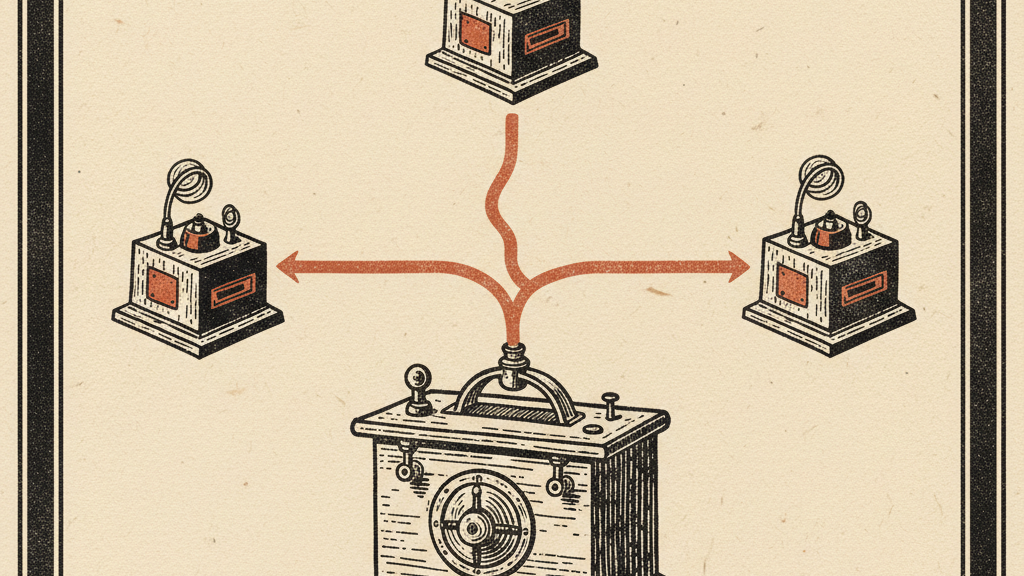
Each MCP server is a small program that runs on your machine and translates between Claude and external tools.
How MCP Servers Work
The technical flow:
- You configure MCP servers in Claude Code's settings (JSON config file)
- When you start Claude Code, it launches the configured MCP servers
- During conversations, Claude can request data from MCP servers
- MCP servers fetch the data and return it to Claude
- Claude uses that data to answer your questions or complete tasks
You: "What were the three most discussed topics in our #engineering Slack channel last week?"
Claude (via Slack MCP server):
All of this happens in one conversation, with Claude accessing Slack through the MCP server.
Why This Matters
Before MCP, Claude was isolated. It knew nothing about your company's data, tools, or context. Every conversation started from zero.
You'd copy data from Slack, paste into Claude, copy results, paste back into Slack. This copy-paste workflow limited Claude's usefulness for real work.
- Claude accesses your company's data directly
- No more copy-paste between tools
- Context from multiple sources in one conversation
- Claude becomes part of your workflow instead of a separate tool
What MCP Servers Can Do
MCP servers fall into three categories:
Read the original source on anthropic.com
Let Claude read from databases, APIs, file systems, or cloud storage.
Examples:
- Query customer data from your database
- Read analytics from your BI platform
- Access documents from Google Drive or SharePoint
- Fetch tickets from Jira or Linear
Let Claude interact with external tools and services.
Examples:
- Search Slack or Discord message history
- Read GitHub repositories and issues
- Query internal wikis or documentation
- Access CRM data from Salesforce or HubSpot
Let Claude interact with your local environment.
Examples:
- Read and write local files with better permissions
- Execute shell commands with approval
- Access environment variables and configs
- Monitor system resources and logs
Available MCP Servers at Launch
Anthropic is launching with several official MCP servers:
Claude API Reference: Official API documentation for Claude integration Learn more
- PostgreSQL MCP server
- SQLite MCP server
- MySQL/MariaDB MCP server (community-built)
- GitHub MCP server (official)
- Git MCP server for local repositories
- Docker MCP server for container management
- Slack MCP server
- Google Drive MCP server (read-only at launch)
- Notion MCP server (community-built)
- Filesystem MCP server (extended file access)
- Environment MCP server (env vars and configs)
- Shell MCP server (command execution with prompts)
More servers coming from both Anthropic and the community. The protocol is open source, so anyone can build MCP servers.
Security and Permissions
MCP servers run on your machine with your permissions. This means:
Model Context Protocol: Official MCP documentation and server registry Learn more
Anything you can access. If you can read a database, the MCP server can read it. If you can't access a Slack workspace, the MCP server can't either.
- MCP servers run locally, not in the cloud
- Each server explicitly declares what permissions it needs
- You approve permissions before using a server
- Claude requests data from servers; servers don't push data to Claude
- Only install MCP servers from trusted sources
- Review what permissions each server requests
- Use read-only access when possible
- Don't install MCP servers for sensitive systems without security review
Limitations
MCP is new. Current limitations:
MCP servers only work in Claude Code (the desktop app). The web interface at claude.ai doesn't support MCP.
Most launch MCP servers are read-only. Claude can query databases but not modify them. This limitation is intentional for safety and will be relaxed over time.
Complex queries can be slow. If an MCP server needs to fetch large datasets or make multiple API calls, conversations slow down.
Setting up MCP servers requires editing JSON config files. Not difficult, but not as simple as clicking "install" in an app store.
Quick Takeaway
MCP (Model Context Protocol) is the extension system for Claude Code. MCP servers let Claude access databases, APIs, and external tools directly - no more copy-paste workflows.
At launch, official servers cover databases (PostgreSQL, SQLite), development tools (GitHub, Git), business apps (Slack, Google Drive), and system operations (filesystem, shell access).
If you use Claude Code for work that involves company data or external tools, MCP immediately makes it more useful. Start with the official servers, then explore community-built options.
The protocol is open source, so expect the MCP ecosystem to grow quickly. This is the foundation for making Claude a true part of your technical workflow.
Get the Claude playbook in your inbox.
One weekly email for Claude and Claude Code users. Real workflows, no hype. Subscribe and we send you The Claude Power-User Cheatsheet.
— ¶ —

Luke Thompson
Luke Thompson is the founder of The Operations Guide, LLC and editor of The Claude Insider. Based in Jonesborough, Tennessee, he has spent years building AI-augmented business systems and automation workflows for operators and teams. He began working with large language models in production well before the current wave of consumer AI tools, integrating them into client workflows, content pipelines, and operational infrastructure. At The Claude Insider, he writes about Claude with the specificity of someone who uses it daily as a professional tool — not as a reviewer or commentator, but as a builder. His coverage focuses on what actually works: prompt patterns, API integration strategies, agentic workflows, and the real-world tradeoffs that practitioners face. He is not affiliated with Anthropic, PBC.
Articles are researched and drafted with AI assistance, reviewed and edited by Luke Thompson.
Know where AI can pay off in your company.
Take the free two-minute AI Readiness Assessment. See your score, the two gaps holding you back, and the next move worth making.