Build Custom MCP Servers: Complete Beginner Guide 2025
Official MCP servers don't cover your tools? Build custom MCP servers to connect Claude Code to proprietary systems. Complete beginner-friendly guide.
In this article
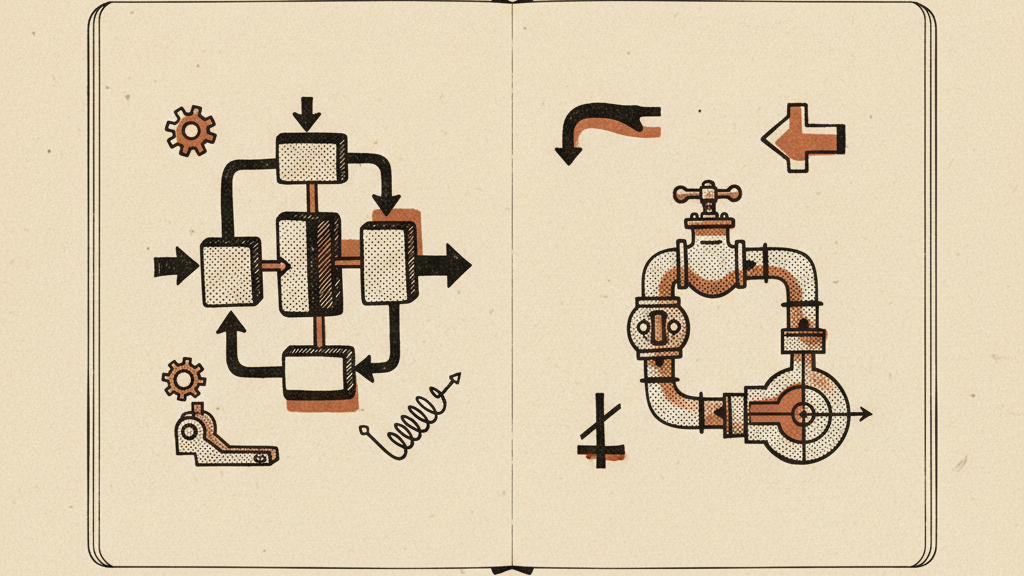
This sounds intimidating. It's not. MCP servers are simple programs that translate between Claude and your tools. With basic programming knowledge (or Claude's help), you can build custom servers in an afternoon.
What You're Building
An MCP server is a program that:
That's it. No complex AI integration, no ML training. Just a data adapter.
MCP Server Anatomy
Every MCP server has three components:
Tells Claude what your server can do.
const server = {
name: "company-crm", version: "1.0.0", description: "Access customer data from Company CRM" };
Defines what actions Claude can take.
const tools = [
{ name: "get_customer", description: "Fetch customer details by ID", input_schema: { type: "object", properties: { customer_id: { type: "string" } } } }, { name: "search_customers", description: "Search customers by name or email", input_schema: { type: "object", properties: { query: { type: "string" } } } } ];
Code that actually executes when Claude calls a tool.
async function executeGetCustomer(customer_id) {
// Call your CRM API const response = await fetch(https://crm.company.com/api/customers/${customer_id}, { headers: { 'Authorization': Bearer ${process.env.CRM_API_KEY} } }); const data = await response.json(); return data; }
Building Your First MCP Server
Let's build a real example: an MCP server for a company's internal wiki API.
Step 1: Set Up Project
mkdir mcp-server-companywiki
cd mcp-server-companywiki npm init -y npm install @anthropic-ai/mcp-sdk
This creates a new MCP server project and installs the official SDK.
Step 2: Create Server File
Create index.ts:
Read the original source on github.com
import { MCPServer } from '@anthropic-ai/mcp-sdk';
const server = new MCPServer({ name: 'company-wiki', version: '1.0.0', description: 'Search and access company wiki articles' });
// Define what actions Claude can take server.addTool({ name: 'search_wiki', description: 'Search wiki articles by keyword', input_schema: { type: 'object', properties: { query: { type: 'string', description: 'Search query' } }, required: ['query'] }, handler: async ({ query }) => { // Call your wiki's search API const response = await fetch(
https://wiki.company.com/api/search?q=${encodeURIComponent(query)},
{ headers: { 'Authorization': Bearer ${process.env.WIKI_API_TOKEN} } } );
const results = await response.json();
// Return formatted results return { content: [ { type: 'text', text: JSON.stringify(results, null, 2) } ] }; } });
server.addTool({ name: 'get_article', description: 'Get full content of a wiki article by ID', input_schema: { type: 'object', properties: { article_id: { type: 'string', description: 'Wiki article ID' } }, required: ['article_id'] }, handler: async ({ article_id }) => { const response = await fetch(
https://wiki.company.com/api/articles/${article_id},
{ headers: { 'Authorization': Bearer ${process.env.WIKI_API_TOKEN} } } );
const article = await response.json();
return { content: [ { type: 'text', text: # ${article.title}\n\n${article.content} } ] }; } });
// Start the server server.start();
Step 3: Build and Test
npm run build
node dist/index.js
The server should start without errors.
Step 4: Configure in Claude Code
Add to your mcp_settings.json:
Claude API Reference: Official API documentation for Claude integration Learn more
{
"mcpServers": { "company-wiki": { "command": "node", "args": ["/path/to/mcp-server-companywiki/dist/index.js"], "env": { "WIKI_API_TOKEN": "your-api-token-here" } } } }
Step 5: Test in Claude Code
Restart Claude Code and ask:
"Search the company wiki for articles about expense reimbursement."
Claude calls your MCP server, which searches the wiki and returns results.
Common Patterns
Database Access
MCP server that queries internal database:
Model Context Protocol: Official MCP documentation and server registry Learn more
import { Client } from 'pg';
server.addTool({ name: 'query_sales_data', description: 'Run SQL query against sales database', input_schema: { type: 'object', properties: { query: { type: 'string' } }, required: ['query'] }, handler: async ({ query }) => { const client = new Client({ connectionString: process.env.DATABASE_URL });
await client.connect(); const result = await client.query(query); await client.end();
return { content: [{ type: 'text', text: JSON.stringify(result.rows, null, 2) }] }; } });
REST API Integration
MCP server for proprietary REST API:
server.addTool({
name: 'get_inventory', description: 'Get current inventory levels', input_schema: { type: 'object', properties: { sku: { type: 'string', description: 'Product SKU (optional)' } } }, handler: async ({ sku }) => { const url = sku ? https://api.company.com/inventory/${sku} : 'https://api.company.com/inventory';
const response = await fetch(url, { headers: { 'X-API-Key': process.env.INVENTORY_API_KEY } });
const data = await response.json();
return { content: [{ type: 'text', text: JSON.stringify(data, null, 2) }] }; } });
File System Access
MCP server for reading company files:
import { readFile } from 'fs/promises';
import { join } from 'path';
server.addTool({ name: 'read_company_file', description: 'Read files from company shared drive', input_schema: { type: 'object', properties: { path: { type: 'string', description: 'File path relative to shared drive' } }, required: ['path'] }, handler: async ({ path }) => { const fullPath = join(process.env.SHARED_DRIVE_PATH, path); const content = await readFile(fullPath, 'utf-8');
return { content: [{ type: 'text', text: content }] }; } });
Using Claude to Build MCP Servers
Here's the secret: use Claude to help build your MCP servers.
"Build an MCP server that lets Claude Code access this API. I need tools for: searching articles, getting article details, and listing recent changes."
You don't need to be a strong programmer. Claude writes the code. You just need to understand your system's API.
Testing MCP Servers
Before adding to Claude Code, test your server:
Start server
node dist/index.js
In another terminal, test with MCP client
npx @anthropic-ai/mcp-client \ --server "node dist/index.js" \ --tool search_wiki \ --input '{"query": "test"}'
This calls your server's search_wiki tool directly. Verify it returns expected results.
Security Considerations
Store in environment variables, never hardcode. Use .env files locally, secure secret management in production.
Validate all inputs before passing to your systems. Don't trust Claude to always send valid data.
If your system has rate limits, implement throttling in your MCP server to avoid overwhelming APIs.
Start with read-only tools. Only add write operations (creating, updating, deleting) after thorough testing.
Log all MCP server actions. Know what Claude accessed and when.
Publishing Your MCP Server
Once working, consider publishing for others:
Many companies build internal MCP servers and keep them private. Publishing is optional.
Common Pitfalls
Keep each tool focused on one action. Don't build a single "do everything" tool.
Handle API failures gracefully. Return meaningful error messages to Claude.
Tool descriptions tell Claude when to use them. Be specific: "Search wiki articles by keyword" not "Search."
If operations take >30 seconds, return status and provide a separate tool to check results.
Most internal systems require auth. Don't skip it during development.
Real-World Custom MCP Servers
- MCP server for project management system
- Access client information, project status, deliverables
- Used by entire consulting team in Claude Code
- MCP server for inventory and order management system
- Ops team queries inventory, checks order status, analyzes trends
- Reduced time to answer customer questions by 60%
- MCP server for patient scheduling system (HIPAA-compliant deployment)
- Check availability, find appointment details, analyze scheduling patterns
- Improved scheduling team efficiency
Time Investment
Building your first custom MCP server:
- Planning and API research: 1-2 hours
- Initial implementation: 2-4 hours
- Testing and refinement: 1-2 hours
- Documentation: 30 minutes
Subsequent servers are faster (1-3 hours) once you understand the pattern.
Quick Takeaway
Custom MCP servers connect Claude Code to proprietary systems and internal tools. Building one requires: defining tools (what Claude can do), implementing handlers (code that calls your APIs), and configuring in Claude Code.
Use the official MCP SDK (@anthropic-ai/mcp-sdk) for structure and standards. Common patterns: database queries, REST API calls, file system access, and internal tool integrations.
Leverage Claude itself to generate MCP server code - upload API documentation and ask Claude to build the server. You review and refine, but don't need to write everything from scratch.
First server takes 4-8 hours. After that, adding MCP servers for new systems is routine. If your team has internal tools that would be useful in Claude Code, custom MCP servers are worth the investment.
Get the Claude playbook in your inbox.
One weekly email for Claude and Claude Code users. Real workflows, no hype. Subscribe and we send you The Claude Power-User Cheatsheet.
— ¶ —

Luke Thompson
Luke Thompson is the founder of The Operations Guide, LLC and editor of The Claude Insider. Based in Jonesborough, Tennessee, he has spent years building AI-augmented business systems and automation workflows for operators and teams. He began working with large language models in production well before the current wave of consumer AI tools, integrating them into client workflows, content pipelines, and operational infrastructure. At The Claude Insider, he writes about Claude with the specificity of someone who uses it daily as a professional tool — not as a reviewer or commentator, but as a builder. His coverage focuses on what actually works: prompt patterns, API integration strategies, agentic workflows, and the real-world tradeoffs that practitioners face. He is not affiliated with Anthropic, PBC.
Articles are researched and drafted with AI assistance, reviewed and edited by Luke Thompson.
Know where AI can pay off in your company.
Take the free two-minute AI Readiness Assessment. See your score, the two gaps holding you back, and the next move worth making.